brwatch


brwatch ist a small and portable service tool for B&R automation controls (PLC). It runs on Microsoft Windows and enables you to list, watch and change process variables, start and stop task, search and reboot CPUs, change IP-settings. Additionaly it logs PV values to CSV- Files.
It makes heavy use of PVI (‘process visualisation interface’) package from B&R.


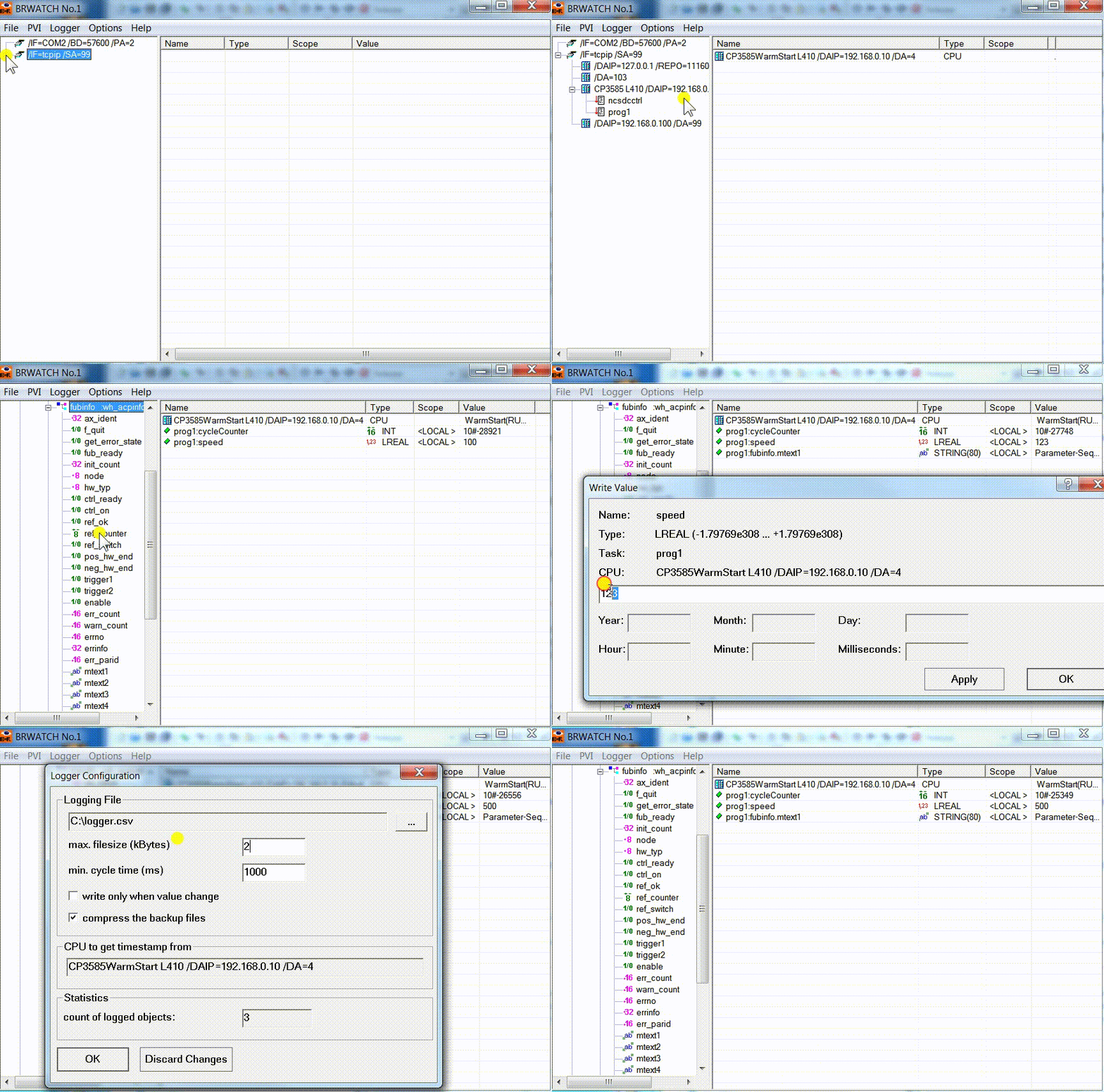
Disclaimer
brwatch comes „as is“, e.g. without support and warranty. You can freely copy it but use it at your own risk.
PVI
brwatch needs a previously installed PVI Development Setup to run.
-
INA/ANSL
All B&R Controls support INA protocol for online communication, but newer plc support ANSL, too. Since version 4.x PVI supports both INA and ANSL. Brwatch supports both as well but not simultaneously. So starting with V1.1/PVI4.x the newer ANSL protocol could be an alternative by setting ‘ANSL=1’ in brwatch.ini. In this case, of course, you will not be able to contact old AR 3.x based PLC.
-
PVI License
Without a PVI license 1TG0500.02 (+ TG Guard e.g. 0TG1000.02) PVI will run for two hours. After this period brwatch will stop working and PVI-Manager must be stopped and restarted again. Do not blame brwatch for that and contact your local B&R office to buy a valid license.
Usage
Development
The project is done in plain old ‘C’ language (not C++) and makes use of pure Win32-API-calls. Find compiled EXE in releases
Build from Source
Prerequisites
- MSYS2 with mingw32 compiler
- PVI development headers and libraries (from B&R)
- Resource compiler (windres)
- make utility
Setup MSYS2 mingw32
- Install MSYS2 following the official guide
- Install required packages:
pacman -S mingw-w64-i686-toolchain mingw-w64-i686-binutils
pacman -S mingw-w64-i686-winpthreads
Build Instructions
Using PowerShell Script:
.\build.ps1                 # Standard build
.\build.ps1 -Clean         # Clean and rebuild
.\build.ps1 -Verbose       # Show all compiler output
Using Makefile:
mingw32-make.exe -f Makefile clean all
Using make in MSYS2 shell:
cd /c/path/to/brwatch
make -f Makefile clean all
The compiled executable will be generated as build/brwatch.exe